Give your AI a sense of place. Keep the personal bits at home.
Add pindrop.md to Claude, ChatGPT or whichever AI you use. Ask it for a hotel near Tuesday's meetings, a street to raise a family on or a table for four on Friday. It checks with Pin Drop first, so the answer fits you. It never sees what Pin Drop knows about you.
Works with the AI you already use
- Claude
- ChatGPT
- Cursor
- VS Code
- GitHub Copilot
- Gemini
- Windsurf
- Zed
- Perplexity
- Mistral
- Raycast
- n8n
- Zapier
- Your company's own agent, or anything that speaks MCP.
One engine, seven journeys
Different experiences. The same system underneath.
Pick an example below and click through it. Each one follows the same five steps. You ask your AI a question. Pin Drop thinks it through in private, using what it knows about you. You get a personalised answer, saved to your map. Then Pin Drop can book it for you, even phoning a restaurant, hotel or letting agent on your behalf when there's no way to book online.
Travel
Work
Home
Leila, three days in Porto on her own
A solo trip planned from Claude.
Claude sees
Stays in Pin Drop
One ask, up close
What your AI gets. What stays with Pin Drop.
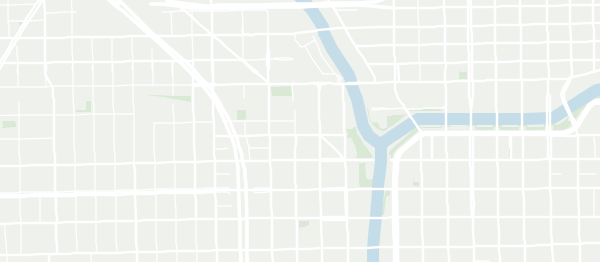 © OpenStreetMap
The Carroll Yard
Wells Street Rooms
Riverwalk Lodge
What your AI received
Just enough to choose well.
- The 14 hotels it found, put in order
- A reason for each one, about the place
- A check against the company's nightly limit
What stayed in Pin Drop
Used to rank. Never shared.
- Your home, office and family pins
- Food, access and sleep needs
- Past trips and places you rated
- Everything you've told Pin Drop
used: travel style, agenda pins · shared: none
How it works
Set it up once. Every answer gets better.
Add Pin Drop to your AI
Add the Pin Drop connector in Claude, ChatGPT or another assistant. If your AI reads instruction files, you can add pindrop.md instead.
Sign in on pindrop.it
The first time it's needed, your AI asks you to sign in. You choose what it can use. You can switch it off at any time.
Ask as you normally would
Ask for a hotel, a flat or somewhere to eat. Your AI sends its options to Pin Drop, which puts them in order and says why in a line.
It learns as you go
Whatever you choose is saved to your map. Each choice makes the next answer a little better.
The file
Short enough to read. Nothing in it about you.
pindrop.md tells your AI when to ask Pin Drop and how. That's all it does. It's the same file for everyone.
Nothing personal in it
Share it, paste it into a chat or add it to a project. There's nothing in it to leak.
A file or a skill
Use it as a plain instruction file, or install the pindrop skill made from the same text.
Always up to date
Anything that fetches it from pindrop.md gets the latest version.
---
name: pindrop
description: Ask Pin Drop which places suit this person before
  choosing hotels, homes, streets, venues or routes.
connect: https://mcp.pindrop.it
---

# Pin Drop

Pin Drop holds this person's persona: where they need to be,
what they like and what they need from a place. You don't
get the persona. You ask. Pin Drop answers.

## When to ask
- You have options with a location and need to choose.
- A plan has to respect needs you haven't been told.
- The person wants a place saved to their map.

## Tools
- pindrop_rank          order your candidates, with reasons
- pindrop_suggest       1 + 2 picks from confirmed places
- pindrop_place_facts   Place DNA for a point or postcode
- pindrop_save_place    add a pin to their map
- pindrop_save_trip     save a plan as a list of pins
- pindrop_report        tell Pin Drop what was chosen

## Rules
- Never ask the person to paste their preferences.
- Pass on Pin Drop's reasons as written. They
  describe the place, never the person.
- If you're not connected, ask the person to sign
  in at pindrop.it. Nowhere else.
What your AI can ask
Questions about places. Never about you.
Rank what it found
Your AI brings the hotels, flats or restaurants it has found. Pin Drop puts them in order for you.
14 hotels in. Three back, each with a reason.
One pick, two backups
A clear first choice and two alternatives, all from places we've checked are open.
Dinner near Borough Market, Friday at 8pm.
Read the area
The facts about any address: journey times, stations, schools, parks, flood risk and crime.
Every fact shows where it came from and when.
Save it to your map
The place your AI found becomes a pin on your Pin Drop map, with the reasons attached.
It's on your phone when you arrive.
Save the whole plan
A trip or a house hunt is saved as a list of pins, in order, ready to share.
Three days in Lisbon, one list.
Say what happened
What you picked, skipped or booked. Pin Drop learns from it, so the next answer fits better.
You can always see what it learned.
Our rule
Explain the place. Never the person.
A reason that mentions you gives you away. So every reason Pin Drop sends describes the place, not you.
That means your AI can pass it on word for word, to you or to anyone else, without revealing anything personal.
Pin Drop says
Step-free entrance. Quiet before 10am.
Pin Drop never says
Because you use a wheelchair.
Pin Drop says
Separate gluten-free menu. Kitchen open until 11pm.
Pin Drop never says
Because of your coeliac disease.
Pin Drop says
Playground at the end of the road. Two good primary schools within a mile.
Pin Drop never says
Because your son starts school next year.
Privacy
What Pin Drop knows about you stays with Pin Drop.
Your record never leaves
Your AI gets rankings, reasons and our suggestions. It never gets your profile or anything you've told us.
Sensitive details are off by default
Health, mobility and diet are only used where you've switched them on, one service at a time.
You can see every request
See which AI asked, what it asked for and what informed the answer.
Switch it off in one tap
Disconnect any AI from Pin Drop. It stops getting answers straight away.
To be clear: a ranking does say something about what you like. That's what makes it useful. So we don't claim that nothing about you ever leaves Pin Drop. We promise your record doesn't. We also limit what each AI can ask and show you every answer we gave.
Connecting
However your AI works, there's a way in.
Most people will use the connector. The other two are there for AIs and tools that can't.
The Pin Drop connector
For Claude, ChatGPT and other assistants that support connectors. Add it once and sign in on pindrop.it.
The pindrop.md file
For AIs that read instruction files. Attach or paste it. The first time it's needed, it asks you to connect.
A one-off access code
For scripts and tools that can't sign in. It works for a single task, then expires.
FAQ
Questions people ask
Is pindrop.md a Claude Skill?
It can be. Claude Skills need a folder with a SKILL.md file, so we publish a pindrop skill made from the same text. Use whichever your AI prefers.
Will my AI find the file on its own?
Not always. Every AI handles instruction files differently. The connector is the most reliable way in. The file works whenever you attach or paste it.
What does it cost?
Early access is free. We'll share pricing well before the beta ends. You'll never be charged without agreeing to it first.
Do I need a Pin Drop account?
Yes. What Pin Drop knows about you lives in your account, next to your map. A few quick questions get you started. Your planning conversations do the rest. You can see and correct everything it holds.
Where does it work?
Anywhere you can drop a pin. Place facts are deepest in the US and UK today, with more countries being added all the time.
Can my company use it?
Yes. Travel policy, approvals and relocation budgets all work with the same ranking. Your employer sees spend and progress. They never see your profile or your family's needs.